Posts

Posts mit dem Label "art" werden angezeigt.

VR Image Collection

Bild
Here I collect all my VR images I created to show an overview. Die headlines are links to the longer blog articles. I use Goggle Photos media viewer in the Daydream app . An nice alternative Android app to view panoramas is the VR Media Player - 360° Viewer. CC BY Maurizio Pesce Old Images 1786 "A Circular View from the Balloon at its greatest Elevation", featured in Thomas Baldwin’s Airopaidia   https://photos.app.goo.gl/zYjsLDvNJF4cGNzd8 1779-1796 from Marc-Théodore Bourrit  https://photos.app.goo.gl/Yx1vFtsRhf8zKc9U9 1823 Adolph Kaiser: Panorama Inselsberg in VR Adolph Kaiser: Panorama Inselsberg. Bild: Klassik Stiftung Weimar Adolph Kaiser: Panorama Inselsberg. Bild: Klassik Stiftung Weimar edited by me https://photos.app.goo.gl/qNdzLtRdgzNUkaqa9   1824 Dresden from Carl August Richter  https://photos.app.goo.gl/hCnfMHmFACP2Q9Jy7 https://photos.app.goo.gl/jGhWqyXwtNXPZeNo9 1841 Königlichen Porzell...
Some old GIMP stuff - Man in the desert

Bild
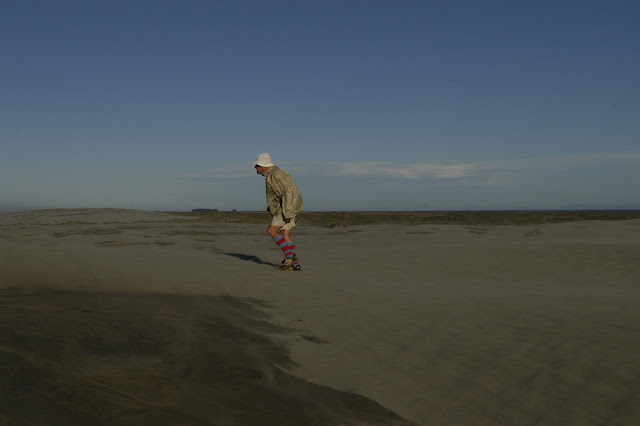
A long time ago (2006) the German weekly news magazine "Der Spiegel" had an photo editing competition. According to The Economist, Der Spiegel is one of continental Europe's most influential magazines. The contest was to edit on of four images with Photoshop: https://www.spiegel.de/netzwelt/web/fotofaelscher-wettbewerb-wenn-tony-blair-brueste-wachsen-a-438042.html And then I won the contest with GIMP: https://www.spiegel.de/netzwelt/web/faelscher-wettbewerb-wie-der-wuestenmann-risse-bekam-a-442309.html Sadly all the images are removed from the original articles, even archive.org has not all the images archived: https://web.archive.org/web/20140111104015/https://www.spiegel.de/netzwelt/web/faelscher-wettbewerb-wie-der-wuestenmann-risse-bekam-a-442309.html Luckily I found the images on my hard disk. This was the photo, provides by "Der Spiegel", I chose to manipulate: This was the base image  for my manipulation: ...

Some old GIMP stuff - Elefants

Bild
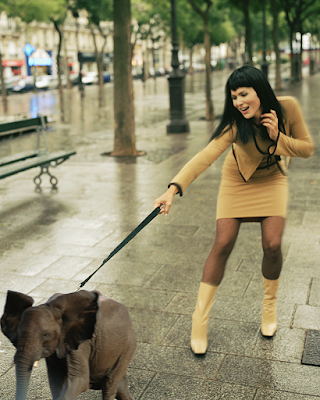
I found some old images I made with GIMP on my old computer: Going shopping with an elephant:    How to hide an elephant:

Even more historic images moved to VR

Bild
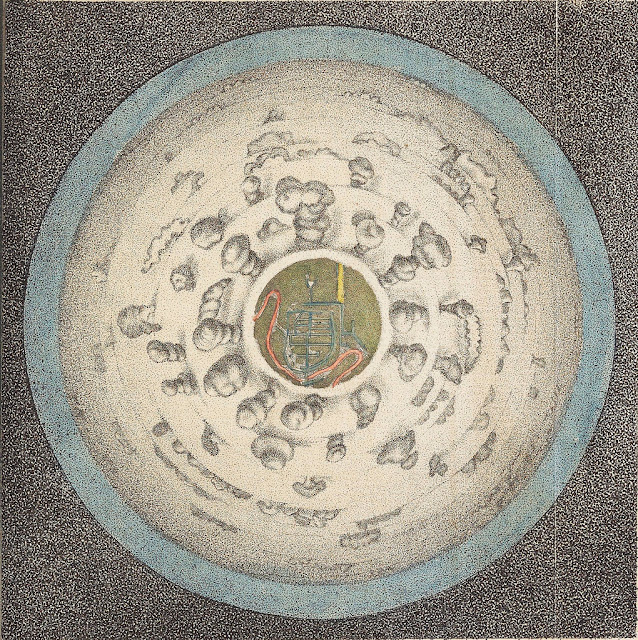
This two images are again more then 200 years old and now we can view them in VR. The first image is “A Circular View from the Balloon at its greatest Elevation”, featured in Thomas Baldwin’s Airopaidia (1786). https://archive.org/details/Airopaidia00Bald/page/n74 You can read more about this image here: https://publicdomainreview.org/2016/07/20/for-the-sake-of-the-prospect-experiencing-the-world-from-above-in-the-late-18th-century/ The 360x180° panorama created with Hugin and GIMP (I made the sky bigger.) Use this link to view the panorama with the DayDream: https://photos.app.goo.gl/zYjsLDvNJF4cGNzd8 The second image is on of 31 illustrations Marc-Théodore Bourrit made between 1779 and 1796. http://www2.unil.ch/viatimages/index.php?lang=en&projet=viaticalpes&module=image&action=detail&IDImage=129 The 360x180° panorama created with Hugin and GIMP (I rotated the text and filled the sky.) Again here the link to view the panorama with the ...

Tutorial: Dresden 1824 - Inside an image from Carl August Richter - Improved

Bild
Thanks to this posts on twitter from Bruno Postle i have now a method how to results from the last tutorial : The first and the last steps are the same. Center the image. (Alternative you can measure the centre an enter the values in Hugin). The new thing is to use Hugin instead of the "Little Planet" plug-in in Gimp Start Hugin Change to the expert mode. (Interface->Expert) Add the image via drag and drop or this button:  Cancel this dialogue: Double click on the image: Change pitch to -90: Change the "degrees of view (v)" to 212: Here you can even the image centre shift, if you have not centred the image before in GIMP. Now go into the Preview mode: Now change the preview mode to " Stereographic":  And in the "projection" tab the "Field of View" to 360x180 Equirectangular: The preview should now look like this: Now you can go back to the "Assistnt" tab and hit the "3. Create pan...