Posts

Posts mit dem Label "script" werden angezeigt.

darktable geoToolbox Script

Bild
Last year I blogged about the KML and the geoJSON export scripts for darktable . I've wrote an other script for darktable, the geo toolbox and it looks like this: I'd like to describe the functionality here short: Button 1 and 2: With this two buttons you can select all images with or without location information in the Exif tag. Button 3 and 4: With this button you can copy GPS information from one iomage to an other. With the checkboxes you can select which part of the GPS information you like to copy. Button 5 [open in Gnome Maps]: This button opens Gnome Maps and shows the position of the photo in the map. Button 6 [reverse geocode]: This function is still not very useful. It uses a web-service from Mapbox to get information from OpenStreetMap about the place of the selected photo and shows this in an info window. Button 7 [export altitude CSV file]: This function exports a CSV file from the selected images with the altitude in meters i...
Maps for Photo Books

Bild
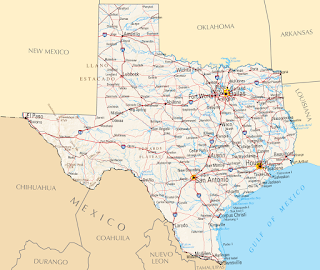
  I love to add maps to the photo books. Here is a collection of some of them.    This is a example of a simple map without the visited places marked. I just added the big Texas label and the overview map of North-America. I used Inkscape and Gimp for this map.    This is a map I made as a title for a calender. I marked the locations from the photos. This image was made with Inkscape. This map is a mix of elements with Gimp extracted from old maps and then composed to a new map in Inkscape.  For this map I got the base image from Mapbox . Then I added the route and some details with Inkscape. To create the route I used Google My Maps , exported it as KML file and converted it to SVG. Here I used a image from the NASA and added the flight route with Gimp and the text boxes with Inkscape. Here I used Blender to create the map. I wrote a longer post here: Low polygon 3D europe map Google My Maps and Inksc...

Screencasts - Part II

I optimized my screencast work-flow a little bit and wrote this script. The script counts down from three and then starts then gromit an recordmydesktop. So I have three seconds for e.g. changing to the right program. You need for the script aosd_cat, gromit und recordmydesktop. Ich hab meine Workflow noch ein bisschen weiter optimiert und ein script geschrieben. Das Script zählt von drei runter und startet dann gromit und recordmydesktop gleichzeitig. So hab ich drei Sekunden Zeit um noch schnell das richtige Programm in den Vordergrund zu holen. Man braucht für das Script aosd_cat und natürlich gromit und recordmydesktop. Viel Spaß damit. Code: #!/bin/bash pkill aosd_cat &> /dev/null pkill gromit &> /dev/null echo '- 1 -'|aosd_cat --font="Arial Black 150" --position=4 --back-color=2e3436 --back-opacity=100 --fore-color=#eeeeec --padding=20 --fade-in=50 --fade-full=900 --fade-out=50 echo '- 2 -'|aosd_cat --font="Arial Black 150" ...