Posts

Depth Map from Gallaxy S10 Photos

Bild
If you shoot with an Samsung Galaxy S10 Plus photos in the "Live Focus" mode Samsung saves four images. The first one is the one you see if you open the photo with any application. The second one is the image without any filter applied and the third one is the shot from the wight angle lens. You can get the images from all cameras with the command line tool "exiftool" and this command: exiftool -embeddedImage -a -b -W %d%f%c.%s test.jpg Image 1, with blurred background "effect" applied Image 2, without any filters added Image 3, a photo from the wight angle lens The fourth image is a depth map. The depth map is a raw 8-bit 1008 x 476 array and you can extract it with this command: exiftool -EmbeddedImage -b test.jpg > output.data To open the image you can use the Raw data loader from Gimp. Use File -> Open... and then select the image. Now you need to change the image type to "Gray 8 bit", the wight to "1008...
Tutorial: Creating a Chrome Ball with GIMP

Bild
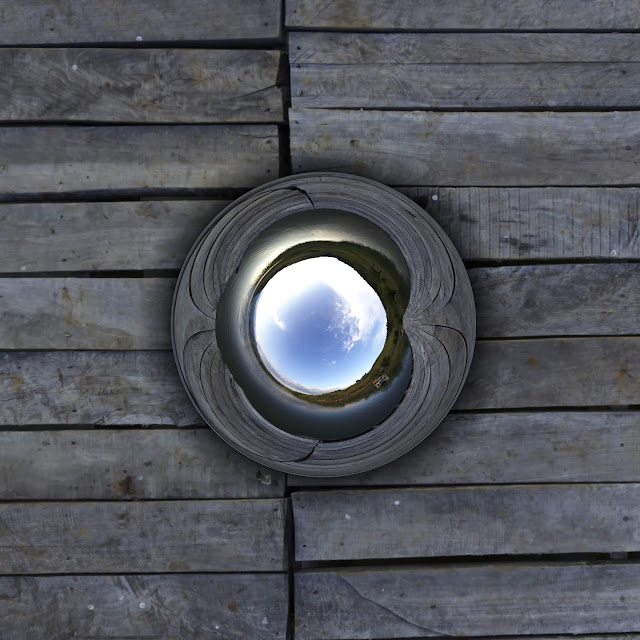
This image discripes how to create this chrome ball with GIMP. First of all you need a equirectangular panorama . If you don't have one you can get one from HDRI Haven . For this tutorial I took this one: https://hdrihaven.com/hdri/?h=bell_park_pier I chose the 8k version (8192x4096). This will give us enough pixel for the transformations. Now Open the image in GIMP and duplicate the layer. Flip the new layer vertical with the flip tool. You can switch from horizontal to vertical in the tool options or by pressing the Control key.  After that scale the layer with the scale tool down to 295 pixel height. Because reflection is never 100 percent lets darkens the image a little bit with Colors->Exposure... Now we will create the shadow. For the shadow we need to add new layer with transparent background. Make sure your foreground color is black. Then select the gradient tool and select the "FG to Transparent" gradient. The shape must be ...

Some old GIMP stuff - Man in the desert

Bild
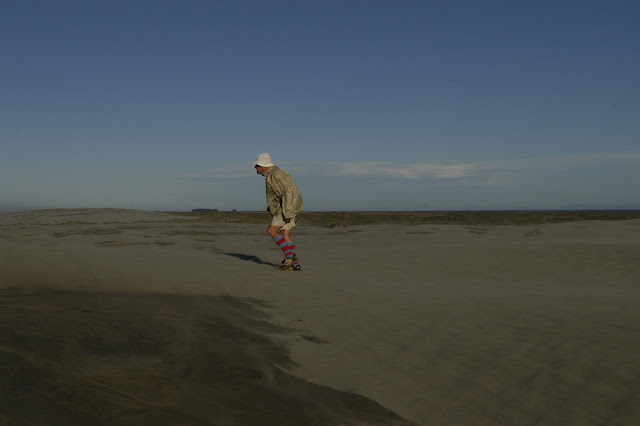
A long time ago (2006) the German weekly news magazine "Der Spiegel" had an photo editing competition. According to The Economist, Der Spiegel is one of continental Europe's most influential magazines. The contest was to edit on of four images with Photoshop: https://www.spiegel.de/netzwelt/web/fotofaelscher-wettbewerb-wenn-tony-blair-brueste-wachsen-a-438042.html And then I won the contest with GIMP: https://www.spiegel.de/netzwelt/web/faelscher-wettbewerb-wie-der-wuestenmann-risse-bekam-a-442309.html Sadly all the images are removed from the original articles, even archive.org has not all the images archived: https://web.archive.org/web/20140111104015/https://www.spiegel.de/netzwelt/web/faelscher-wettbewerb-wie-der-wuestenmann-risse-bekam-a-442309.html Luckily I found the images on my hard disk. This was the photo, provides by "Der Spiegel", I chose to manipulate: This was the base image  for my manipulation: ...

Some old GIMP stuff - Elefants

Bild
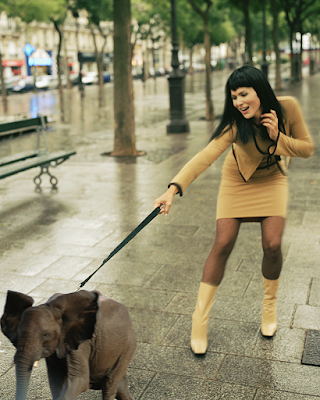
I found some old images I made with GIMP on my old computer: Going shopping with an elephant:    How to hide an elephant:

Playing with the K-Lens demo images

Bild
K|Lens provides this first images from the prototype objective: And the generated depth map: As first I made a small animation with http://depthy.me (The link no longer works.): And then I had some fun with GIMP/g'mic: 1. Focus to the background. 2. Focus to the foreground: For the two images above I simply used the depth map as mask. here is how it looks in GIMP:

Even more historic images moved to VR

Bild
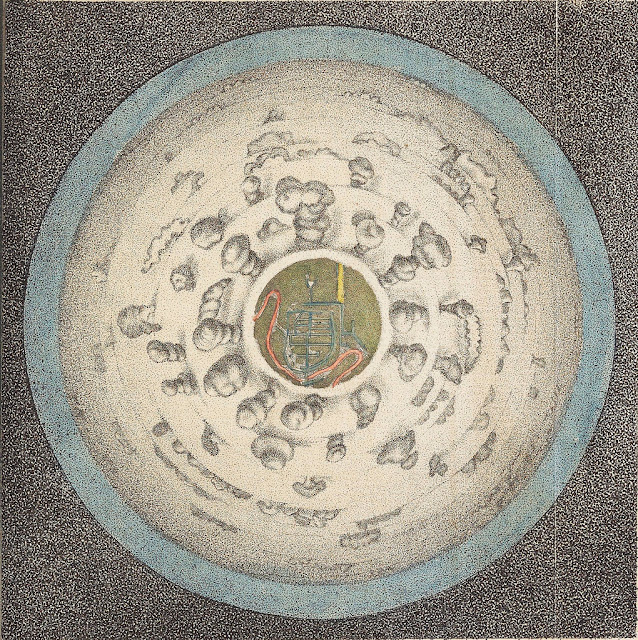
This two images are again more then 200 years old and now we can view them in VR. The first image is “A Circular View from the Balloon at its greatest Elevation”, featured in Thomas Baldwin’s Airopaidia (1786). https://archive.org/details/Airopaidia00Bald/page/n74 You can read more about this image here: https://publicdomainreview.org/2016/07/20/for-the-sake-of-the-prospect-experiencing-the-world-from-above-in-the-late-18th-century/ The 360x180° panorama created with Hugin and GIMP (I made the sky bigger.) Use this link to view the panorama with the DayDream: https://photos.app.goo.gl/zYjsLDvNJF4cGNzd8 The second image is on of 31 illustrations Marc-Théodore Bourrit made between 1779 and 1796. http://www2.unil.ch/viatimages/index.php?lang=en&projet=viaticalpes&module=image&action=detail&IDImage=129 The 360x180° panorama created with Hugin and GIMP (I rotated the text and filled the sky.) Again here the link to view the panorama with the ...

Inside the Dresdener Frauenkirche VR

Bild
 I used my last tutorial but this time I took an recent photo from inside the Dresden Frauenkirche I found here: https://www.flickr.com/photos/w-b-r/37537092641 (Werner Reutemann CC BY-NC-SA) The image converted to an 360x180° panorama: And now you are able so stand inside the dome of the Dresden Frauenkirche : https://photos.app.goo.gl/AkzLWgz4UH1ZNzzk7